BSynth
A synth-bass pedal in plug-in form. Plug in your bass and get octaves, fuzz, synth voices and a filter that follow your playing with precise tracking and virtually no lag, all the way down to the low B. From warm vintage tones to ultra-modern basses, with a sound of its own.
AU / VST3 / Standalone - macOS 11+ (Apple Silicon and Intel) and Windows 10+
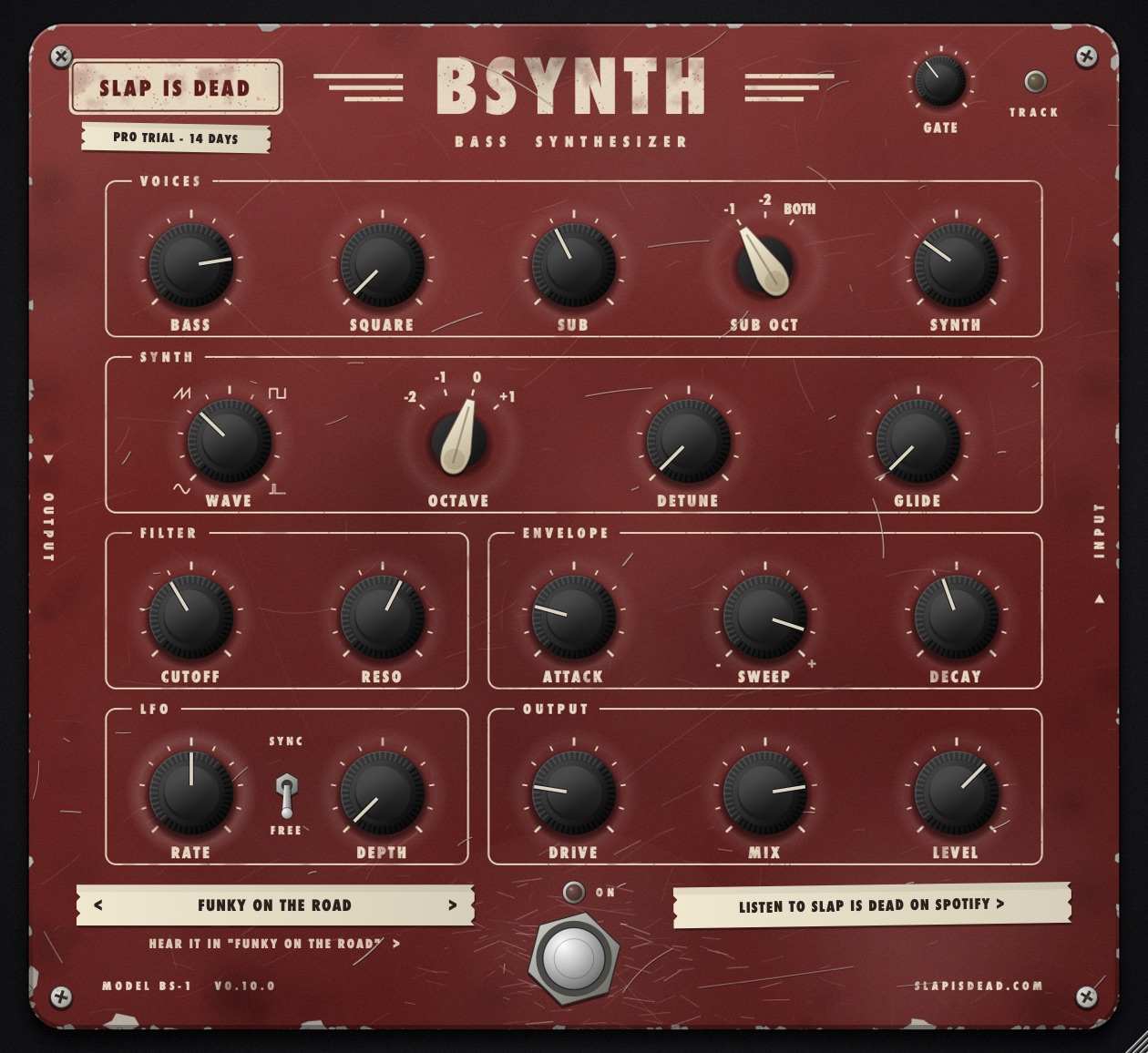
Plug in your bass. Get a synth.
Octaves and fuzz
Square fuzz and one or two octaves down, the way classic divider pedals do it. They react to your fingers instantly.
Synth voice
A synth that follows what you play: sine, saw, square or pulse, from two octaves down to one up. It speaks from the first note, even on a low B.
Envelope filter
A resonant filter that opens as you dig in. Quacks, squelches, slow sweeps.
Presets
30 presets out of the box, from clean subs to acid squelch. More are coming: new free packs will land here regularly.
Get BSynth free
BSynth is in its final round of testing. Follow on Instagram or Spotify to hear when it's out.
macOS
Installer with AU, VST3 and the standalone app. macOS 11 or later, Apple Silicon and Intel.
Windows
Installer with VST3 and the standalone app. Windows 10 or later, 64-bit.
First install on a Mac
BSynth is made by an independent artist and is not signed with a paid Apple certificate, so macOS asks for a confirmation once:
- Double-click the installer. If macOS says it cannot verify the developer, click Done.
- Open System Settings → Privacy & Security, scroll down and click Open Anyway.
- Run the installer again and follow the steps. In Logic Pro, BSynth is under Audio Units → Slap Is Dead.
First install on Windows
If SmartScreen appears, click More info → Run anyway. The VST3 goes to C:\Program Files\Common Files\VST3.
In the standalone app
Open Options → Audio/MIDI Settings, choose your audio interface and untick Mute audio input.
Free vs Pro
The free version is the whole pedal. Pro adds detune, glide, slow filter swells and a tempo-synced LFO, and helps me keep making music. Every download comes with a 14-day Pro trial.
| Free | Pro | |
|---|---|---|
| Bass, square, sub -1/-2, synth voices | ✓ | ✓ |
| Sine / saw / square / pulse, octave -2 to +1 | ✓ | ✓ |
| Envelope filter, drive, mix | ✓ | ✓ |
| Detune (Reese, fat saws) | ✓ | |
| Glide | ✓ | |
| Filter attack (slow swells) | ✓ | |
| LFO with tempo sync (wobble) | ✓ | |
| Presets | 19 + free packs | All 30 + packs |
Questions
Does it work with chords?
No, it's monophonic like the pedals that inspired it. Play one note at a time and it tracks cleanly.
Does it add latency?
No. The analog voices react instantly and the synth kicks in from the first note.
Does the plug-in collect data?
No personal data. It checks this site for news and, for the Pro trial and license, sends an anonymous code of your computer. More on the privacy page.
How do I install a preset pack?
Download it from the presets page, then in BSynth click the preset tape and choose Import preset pack.